

When to Use an AI Tattoo Remover
A tattoo in a photo is easy to get and hard to edit out. The ink covers the skin texture underneath, so simply erasing it leaves a smooth patch that looks wrong next to real skin. Vismora is useful when reshooting is impossible — the moment has passed, or the photo is an old print — and when covering up with clothing or concealer was never an option for the shot you wanted. Be clear about what the tool does: it edits the image, not your skin. If the problem is glare on the ink rather than the ink itself, that is a job for the reflection remover; a harsh shadow across the photo, for the shadow remover.
Headshots, Job Applications, and Portfolios
Some workplaces and clients expect a clean-look presentation, and not every good photo of you was taken in a long-sleeve shirt. Removing visible ink from a portrait, LinkedIn photo, or modeling portfolio lets the existing image do the job without a reshoot. The same applies on the other side of the camera: when clients ask a photographer to edit tattoos out of event or corporate photos, doing it by hand in Photoshop is one of the most time-consuming retouching jobs there is. For important applications, review the result carefully at full size before submitting.
Old Photos with a Name That Should Go
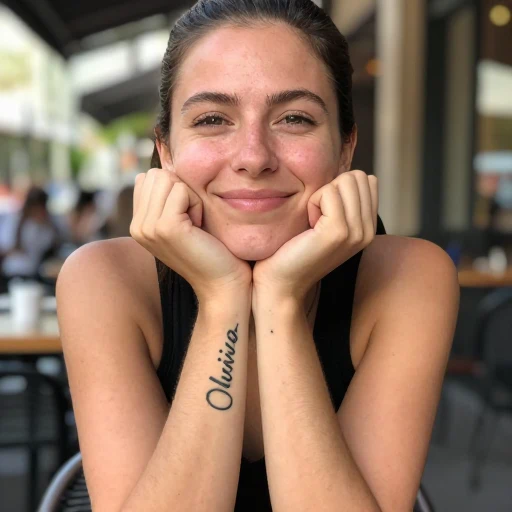
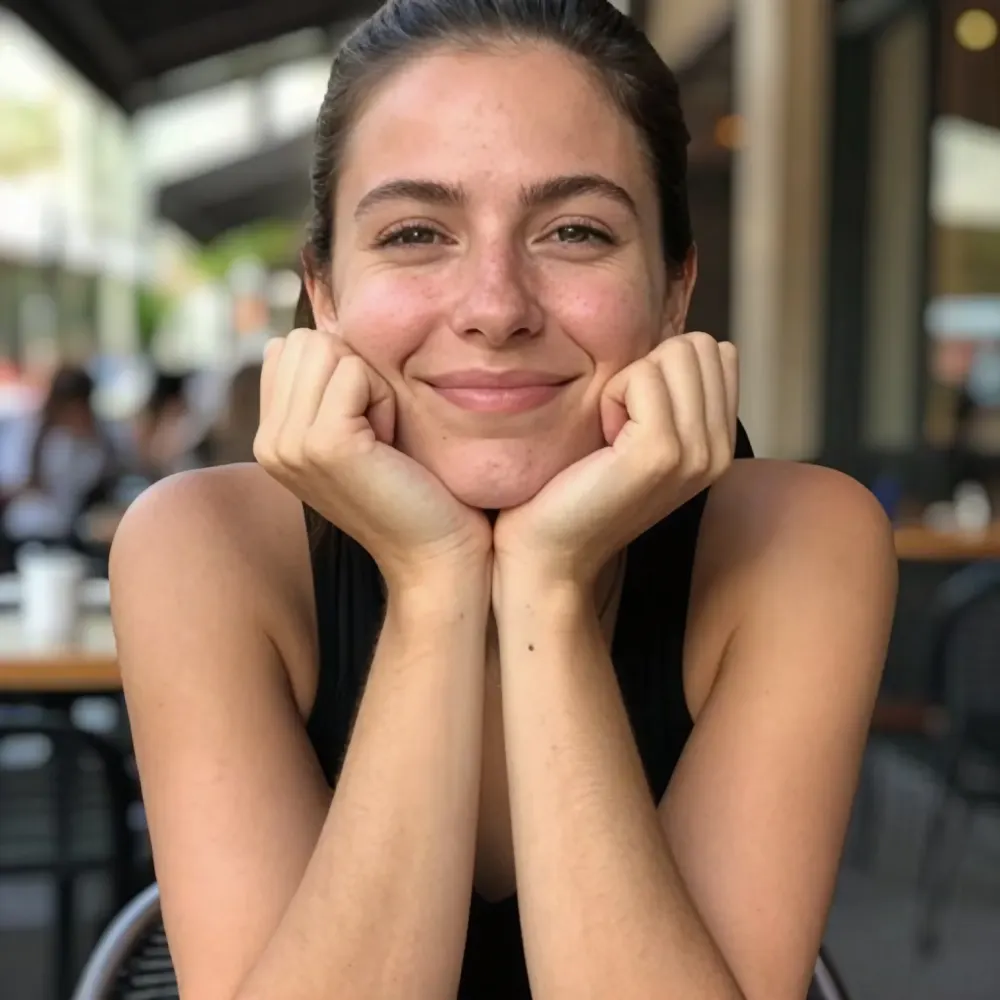
Wedding photos, couple portraits, and candid shots sometimes carry an ex-partner's name in a visible spot. Removing the name tattoo from the photo keeps the memory of the moment without the part that hurts. Small script pieces on wrists and fingers usually respond well because the covered area is small and the surrounding skin is easy to match.
Visualizing Before Laser Removal
Laser removal takes many sessions over months, and the result is never guaranteed. Editing a current photo to see the area without ink can help set expectations before the first appointment — just treat it as a rough visualization, not a prediction of the medical outcome.
Tips for Better Tattoo Removal Results
- Start with the original, highest-resolution file rather than a screenshot or a compressed messaging-app download.
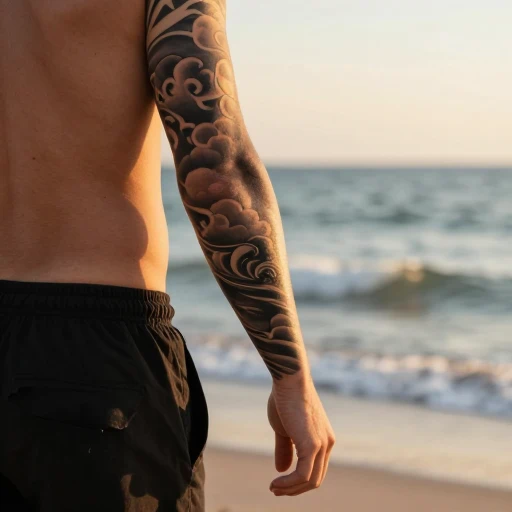
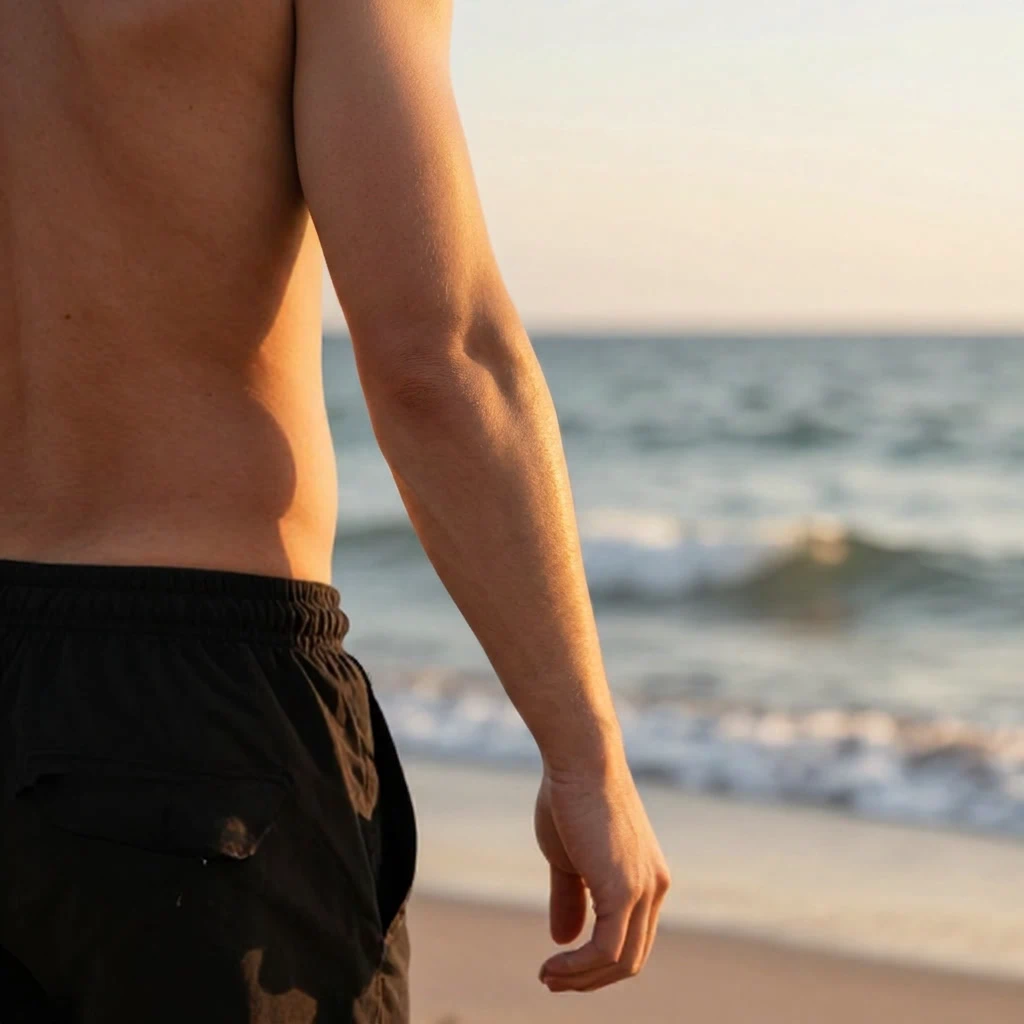
- Match the preset to the photo: Names & Small for script pieces, Large Sleeves for heavy coverage, Balanced for everything else.
- Skin under the ink is reconstructed, not recovered — if you know the area has freckles, scars, or birthmarks, expect them to be approximated rather than restored.
- Review skin texture, edges, and color transitions at 100% zoom before downloading.
- When you can reshoot, a different sleeve, angle, or light is still the cleanest fix; editing is a fallback for photos you already have.
What the Tool Cannot Guarantee
Tattoo removal works best on small to medium pieces over relatively flat, evenly lit skin. Solid blackwork and full blackout tattoos cover more area and leave the model more to invent; tattoos wrapping curved areas like knuckles, elbows, and ankles are harder to blend; and fine details that were never captured — moles, hair, pores — are approximated from the surrounding skin. The result is a convincing starting point, not forensic evidence. For photos used in official or medical contexts, review the edited image carefully and disclose edits where honesty matters.