
Remove Glasses from Photo Online

Vismora is an AI glasses remover for portraits where eyewear gets in the way. Upload a photo and let the tool erase frames and tinted lenses while rebuilding the eyes and surrounding skin so the face still looks like the same person.

Part of Vismora's Image Editor toolkit.

Try AI Glasses Remover Now

Upload your photo and see the AI in action — free to try

Upload Image

Click to upload or drag & drop

JPG, PNG, WebP up to 10MB

Processing Mode

Sign in to get 12 free credits

Result

Your result will appear here

Want more advanced features? Try our full editor →

How It Works

Get professional results in three simple steps

1

Upload Your Portrait

Choose a JPG, PNG, or WebP image up to 10MB. Straight-on portraits with even lighting give the model the most facial detail to work with.

2

Let AI Erase the Glasses

Pick a preset for prescription frames, sunglasses, or ID-photo cleanup. Vismora removes the eyewear and rebuilds the eye area, nose bridge, and temple marks in one pass.

3

Review and Download the Result

Inspect the reconstructed eyes at full size — especially lashes, brows, and skin texture — then download for profiles, headshots, or personal archives.

See It in Action

Real examples showing the transformation power of our AI

Before
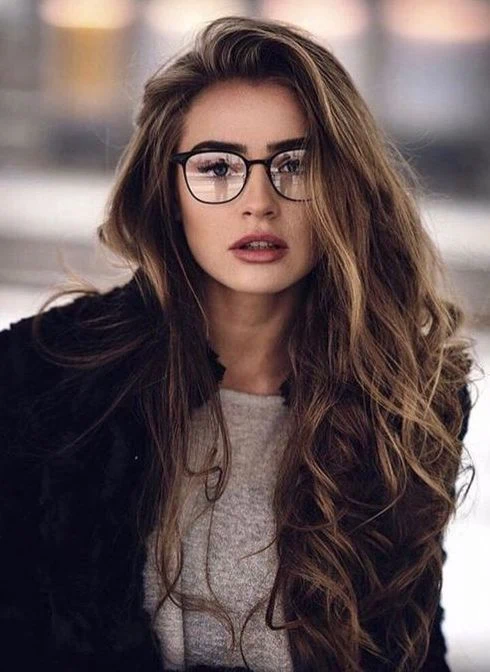
Before - Black Round Glasses Removed from a Casual Portrait
✨ AI Result
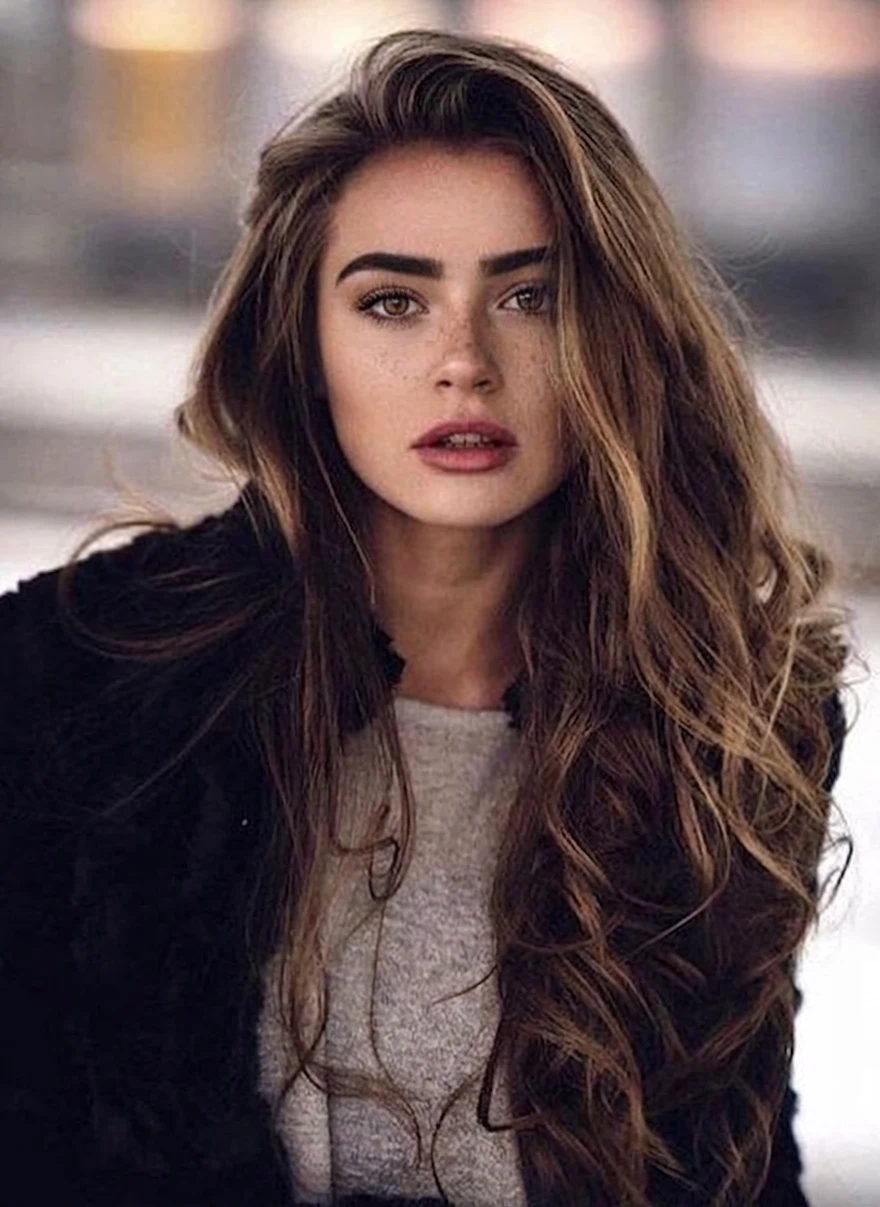
After - Black Round Glasses Removed from a Casual Portrait

Black Round Glasses Removed from a Casual Portrait

A casual portrait of a woman with long brown hair, shot with black round-frame glasses catching soft window light. The frames came off and the eyes were reconstructed from the visible brow line and eye shape, keeping the same pose, freckles, and warm skin tones.

EyeglassesCasual PortraitEye Reconstruction
Before
Before - Wire-Frame Glasses Removed from a Professional Headshot
✨ AI Result
After - Wire-Frame Glasses Removed from a Professional Headshot

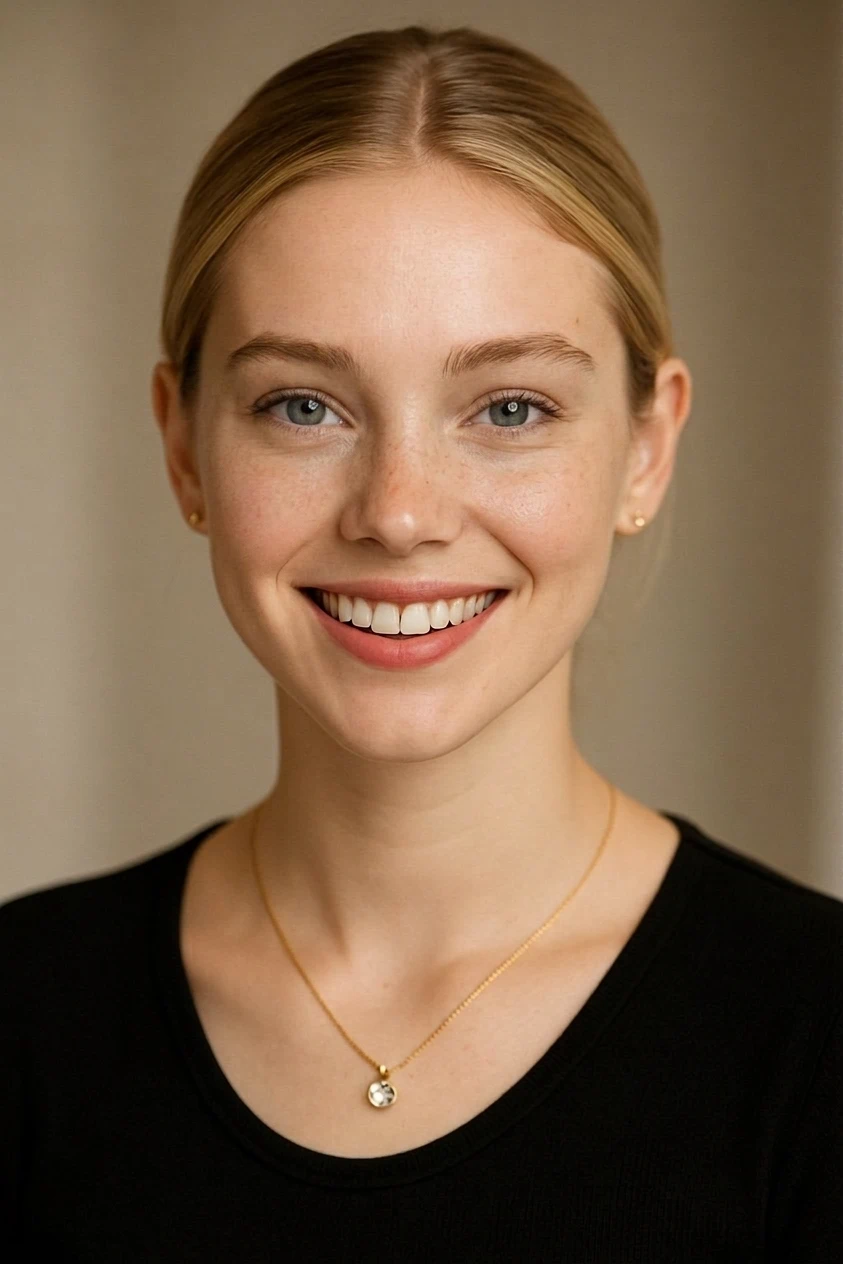
Wire-Frame Glasses Removed from a Professional Headshot

A smiling studio-style headshot with thin gold wire-frame frames. Removing the glasses opened up the eyes while the smile, skin texture, and soft beige studio lighting stayed unchanged — a glasses-free variant without a reshoot.

Professional HeadshotWire-Frame GlassesNo Reshoot
Before
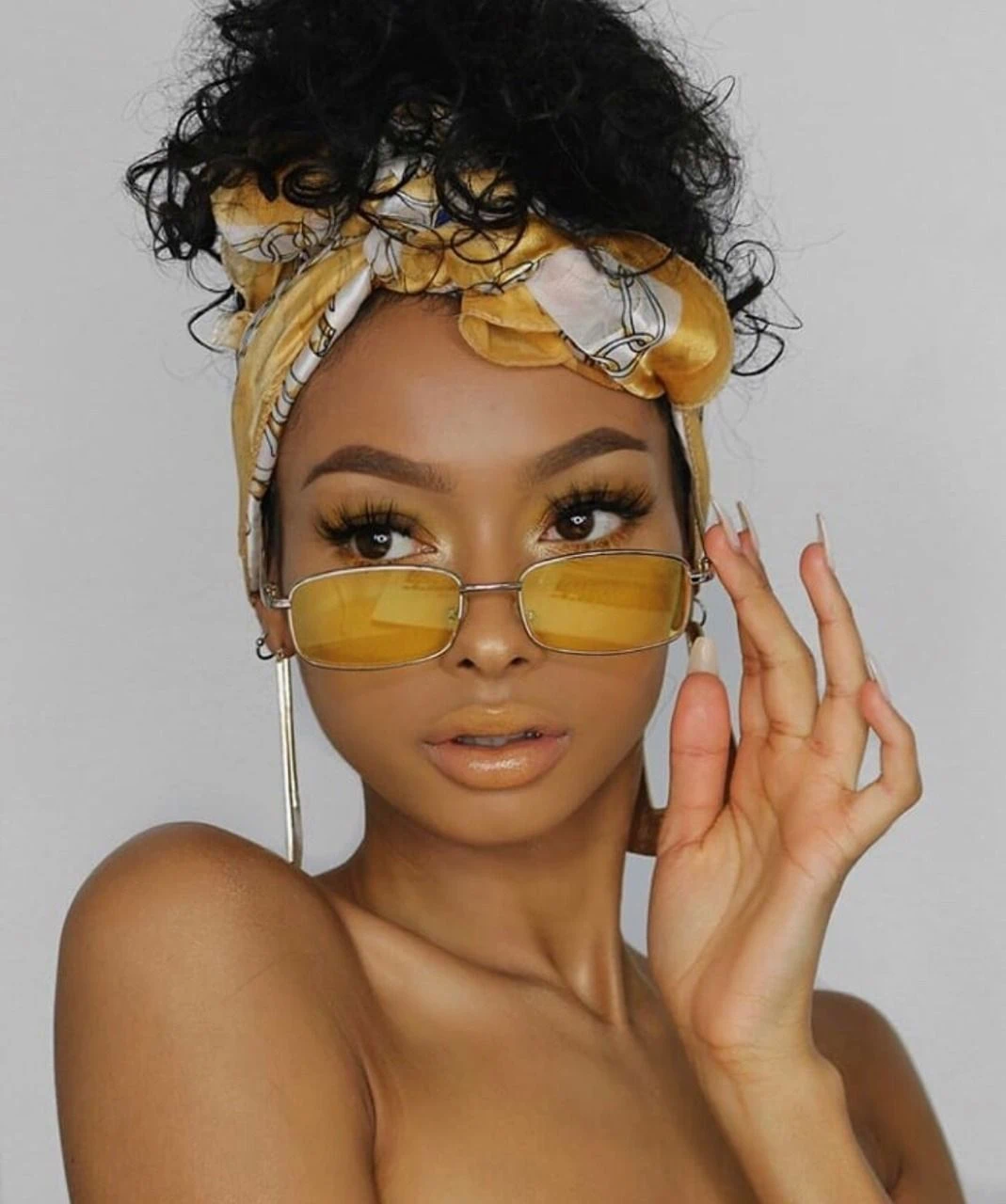
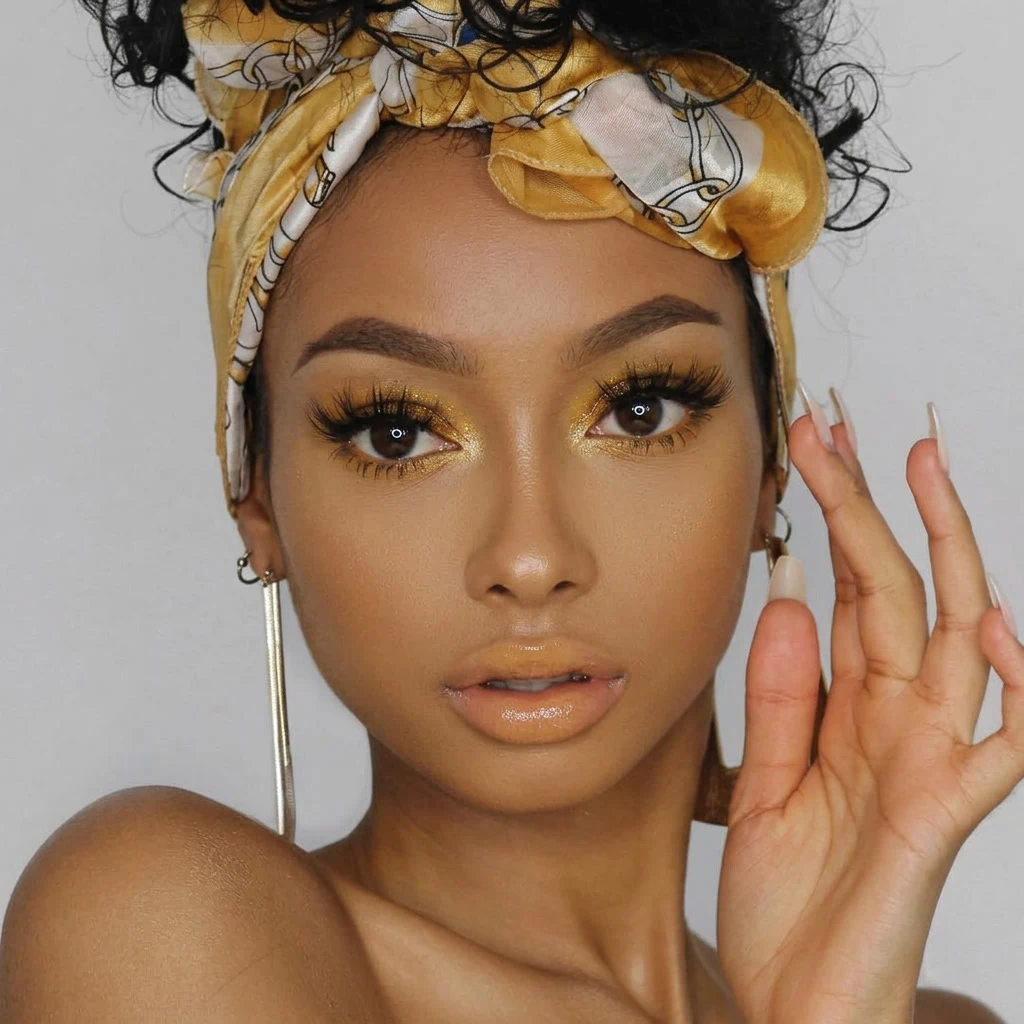
Before - Yellow Tinted Sunglasses Removed from a Fashion Portrait
✨ AI Result
After - Yellow Tinted Sunglasses Removed from a Fashion Portrait

Yellow Tinted Sunglasses Removed from a Fashion Portrait

A fashion portrait where yellow tinted sunglasses completely covered the eyes. The AI rebuilt the eyes and the golden eye makeup beneath the lenses, preserving the original styling, headscarf, and pose.

SunglassesTinted LensesFashion Portrait
Before
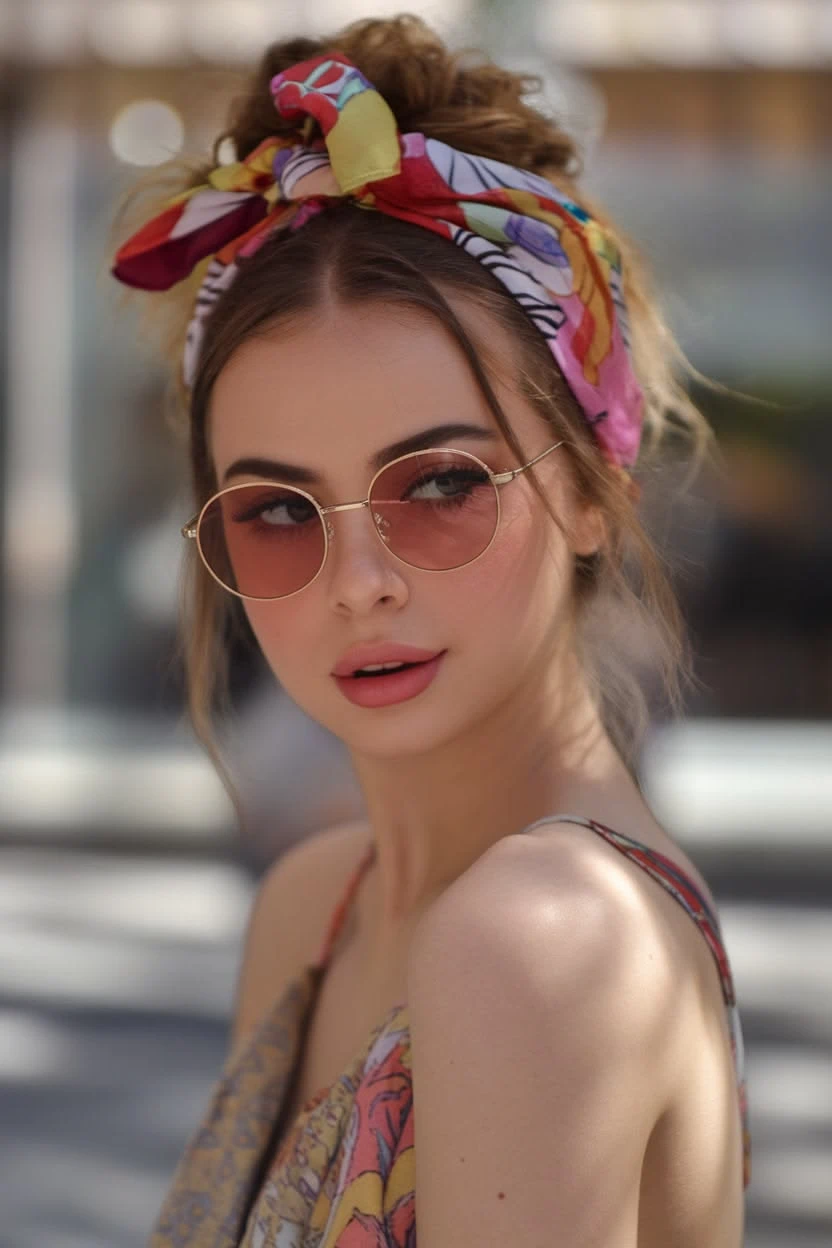
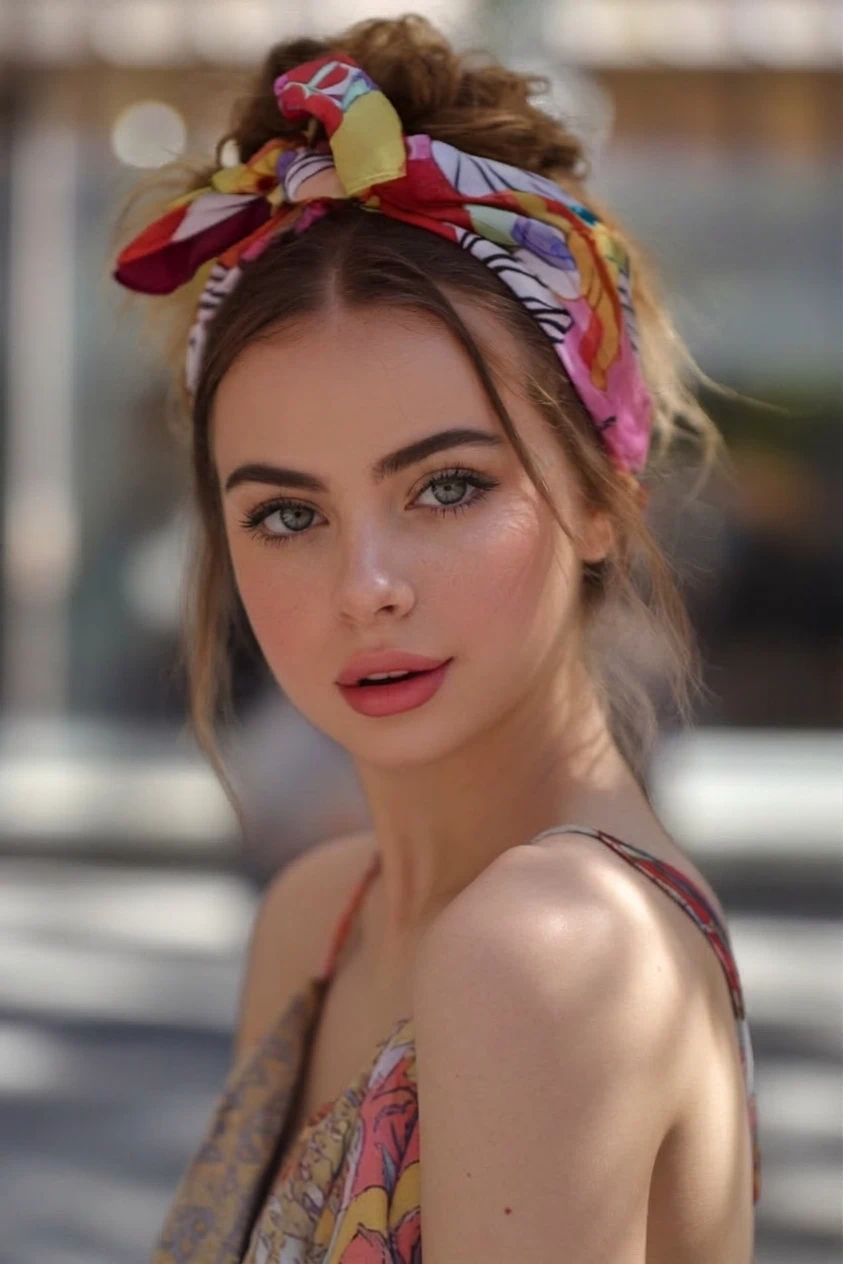
Before - Pink Round Sunglasses Removed from an Outdoor Portrait
✨ AI Result
After - Pink Round Sunglasses Removed from an Outdoor Portrait

Pink Round Sunglasses Removed from an Outdoor Portrait

An outdoor portrait in warm sunlight with pink round sunglasses. The frames were removed and open eyes reconstructed to match the natural light — useful when reshooting outdoors is not an option.

SunglassesOutdoor PortraitNatural Light
Before
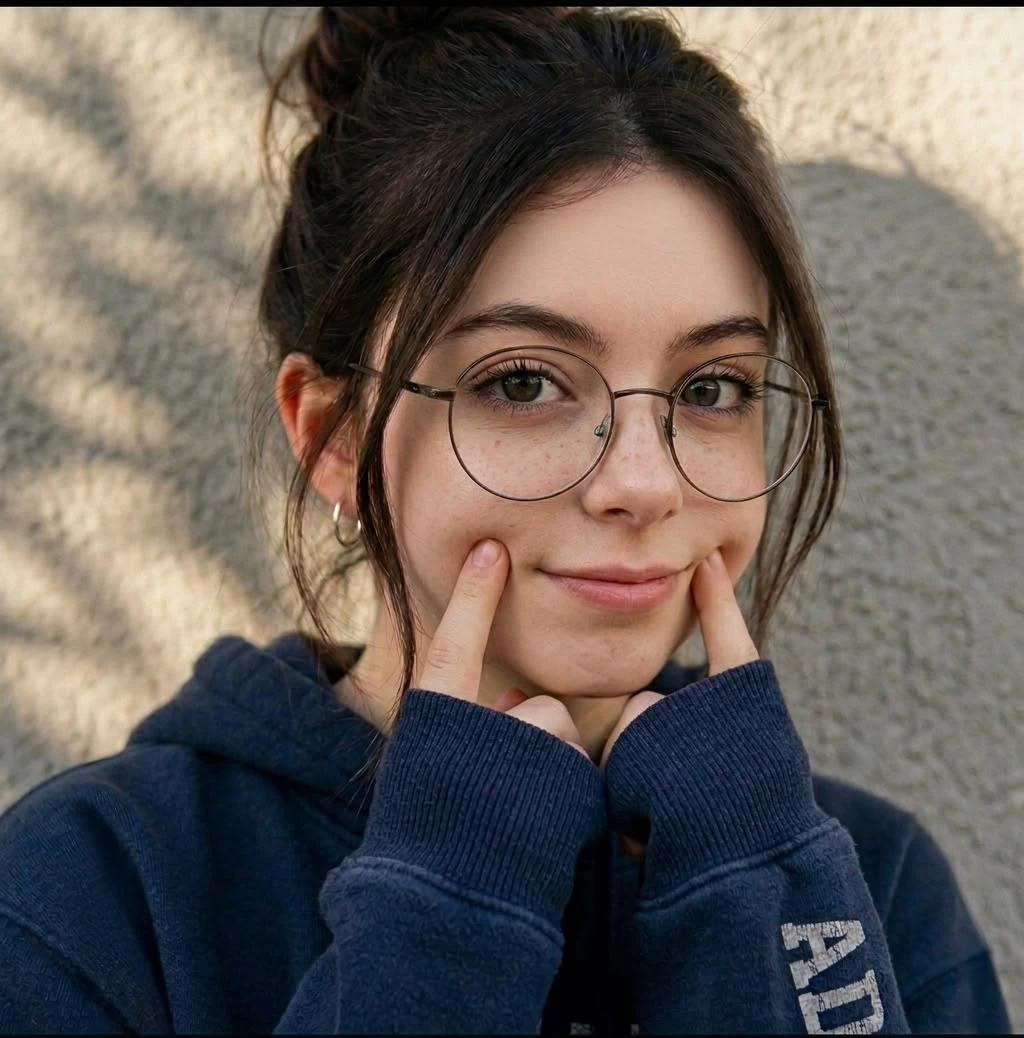
Before - Round Metal Glasses Removed from a Sunlit Portrait
✨ AI Result
After - Round Metal Glasses Removed from a Sunlit Portrait

Round Metal Glasses Removed from a Sunlit Portrait

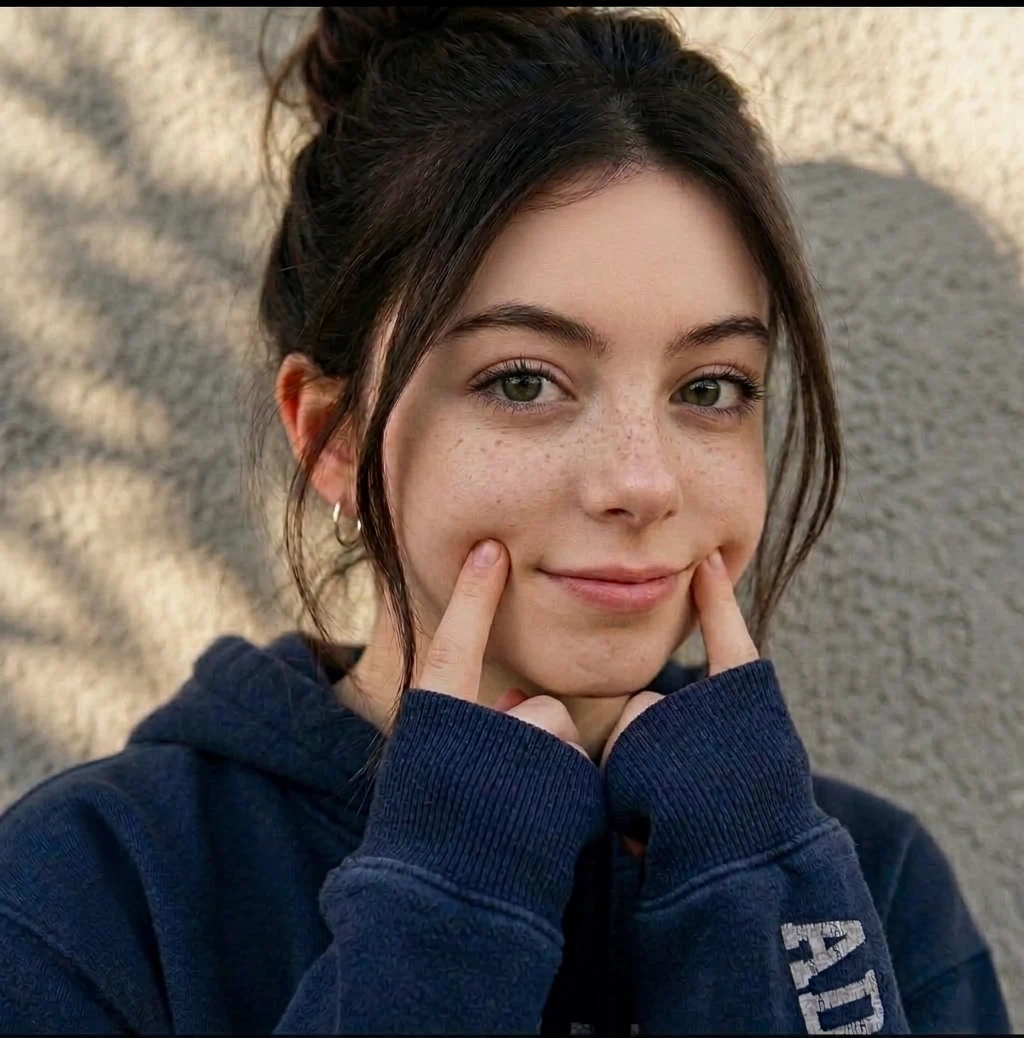
A casual portrait in dappled sunlight with thin round metal frames. The glasses came off while the freckles, messy bun, and warm natural light stayed untouched — the eyes were rebuilt to match the relaxed expression.

EyeglassesNatural LightCasual Portrait

Key Features

Powerful tools designed for professionals

Remove Prescription Frames

Clear away metal, plastic, rimless, or thick acetate frames while keeping the proportions of the face intact and recognizable.

Take Off Sunglasses Naturally

Handle dark, mirrored, and wraparound lenses by regenerating the eye area from facial context, skin tone, and lighting cues in the rest of the photo.

Prep Photos for ID and Passport Use

Many agencies now require glasses-free identity photos. Clean up portraits that were accidentally shot with eyewear before submitting them for review.

Clean Up Nose Bridge and Temple Marks

Soften pad indentations, redness, and shadow lines left on the nose bridge and temples once the frames are gone, so no trace of wear remains.

How Does Vismora Compare?

See why professionals choose our platform

FeatureVismoraManual Photo EditorReshoot Without Glasses
When it worksExisting portraits where eyewear should be goneMost faces with retouching time and skillOnly before the picture is taken
WorkflowUpload, pick a preset, downloadClone stamping, healing brushes, layer masksNew session, styling, and lighting setup
RequirementsBrowser and one photoDesktop software and editing experiencePhotographer, subject, and scheduling
Best useQuick glasses-free versions for profiles and previewsCommercial retouching that needs pixel-level controlGuaranteed authentic results for official submissions

Frequently Asked Questions

Everything you need to know

Will the person still look like themselves after the glasses are removed?

Yes — reconstruction works from visible facial features such as eye shape above the frames, brow line, skin tone, and overall symmetry, so likeness is preserved. The goal is a believable glasses-free version of the same face, not a different one. Always review results at full size before using them publicly.

Can it handle several people wearing glasses in one group photo?

It can process group photos, but smaller faces mean less detail for the model to reconstruct, so quality drops with distance from the camera. Group shots work best when each face is reasonably large and well lit. For important group images, check every face individually after processing.

What if the eyes are closed or squinting behind the lenses?

This is the hardest case. When some eye detail peeks through clear lenses, the model has real information to build on; when dark lenses hide closed eyes completely, it must invent them from context alone. Results look plausible but may not match how the person's eyes actually appeared in that moment.

Is a glasses-free result accepted for passports and official IDs?

Rules vary by agency, and most now require no glasses in identity photos. An AI cleanup helps when otherwise compliant studio shots accidentally included eyewear, but edited images may not satisfy every authority. Confirm your agency's policy on digital corrections before submitting anything official.

Do thicker frames change the quality of the result?

They can. Thin metal and rimless styles cover little skin, so the reconstruction area stays small and blends easily. Thick acetate frames hide more of the eye socket and cast stronger shadows, which enlarges the region the model must rebuild and slightly raises the chance of visible artifacts.

How much does it cost to remove glasses from a photo?

Vismora includes free credits when you sign up, enough to try one full-quality edit before paying. After that, credit packages keep per-image costs far below a reshoot or manual retouching session. Unused credits carry over within your billing period.

Why People Remove Glasses from Portraits

Eyewear is part of many people's daily look, yet almost every context where a portrait matters — job applications, company directories, dating profiles, team pages — favors an open, unobstructed view of the eyes. If the only available photo was shot with glasses on, a reshoot may be impossible or simply inconvenient. That gap is exactly what an AI glasses remover fills.

ID and Passport Rules

A growing list of agencies stopped accepting glasses in identity photos; the United States has required glasses-free passport pictures since 2016. When a set of staff ID photos was taken with eyewear on by mistake, cleaning them up beats rescheduling everyone for another session. Just confirm the issuing authority permits digital corrections before submitting.

Headshots and Profiles

Viewers read the eyes first when judging trustworthiness and confidence. Recruiters, clients, and matches all respond differently to an unobstructed gaze. Producing a matching glasses-free variant lets you present both versions without booking a second shoot.

Tips for a Natural-Looking Result

  • Start from the largest original file; social-media downloads and screenshots lack the detail reconstruction needs.
  • Straight-on portraits with even lighting reconstruct best. Extreme side angles hide part of one eye and force the model to guess more.
  • Clear lenses leave usable eye detail for the model to work from; fully dark or mirrored lenses do not.
  • Check lashes, brows, and the hairline near the temples at 100% zoom before downloading.
  • Keep the original file. Where authenticity matters, present the edit as an edit instead of passing it off as untouched.

What This Tool Cannot Do

Results degrade when there is nothing to work from: eyes fully closed behind opaque lenses, heavy shadows across half the face, motion blur, or heavily cropped low-resolution faces in group shots will come back plausible rather than accurate. The tool also should not be used to misrepresent context — removing protective eyewear from lab or workshop imagery changes what the picture documents. Treat output as an edited derivative, and lean on professional retouching when a specific commercial deliverable demands pixel-perfect control.

More Image Editor Tools

Explore the rest of the Image Editor toolkit

Browse all Image Editor toolsSee every AI tool in the Image Editor collection

Ready to Transform Your Images?

Try Vismora's AI-powered tools now. Free to start.